Scan to PDF
Scan straight into a PDF from nearly any scanner. Older models are supported too, including ones other apps have given up on.
StealthPDF runs on your own Windows PC. Scan, shrink, sign, and unlock your PDFs without sending them anywhere. Nothing is uploaded. Nothing is tracked. You don't even need an account.
Every tool below is in the app from the start. There is no pro version, and nothing is locked away.
Scan straight into a PDF from nearly any scanner. Older models are supported too, including ones other apps have given up on.
Make a heavy scan much smaller. Text stays sharp, and you decide how much quality to keep.
Sign by drawing, by dropping in a picture, or with a certificate. Page numbers and watermarks can be added as well.
Unlock a PDF you own so you can edit and print it again. A clean copy is saved to your disk.
Turn a scanned page into real text you can search and copy. It all happens offline.
Join PDFs, pictures, or whole folders into one file. Pages can be reordered, added, or taken out.
Add notes, highlights, shapes, and free drawing. Anything you add can be moved, resized, or undone.
Type into real form fields, tick boxes, and pick options. Your answers are saved into the file itself.
Trim the edges, rotate, flip, and resize. A crooked scan is straightened by drawing a single line.
See exactly what will come out before it does. Set the size, the margins, and how many pages fit on a sheet.
Read one page at a time, scroll straight through, or put two pages side by side. Tabs and full screen are here too.
The app is available in eight languages. Scanned text can be read in more than a hundred.
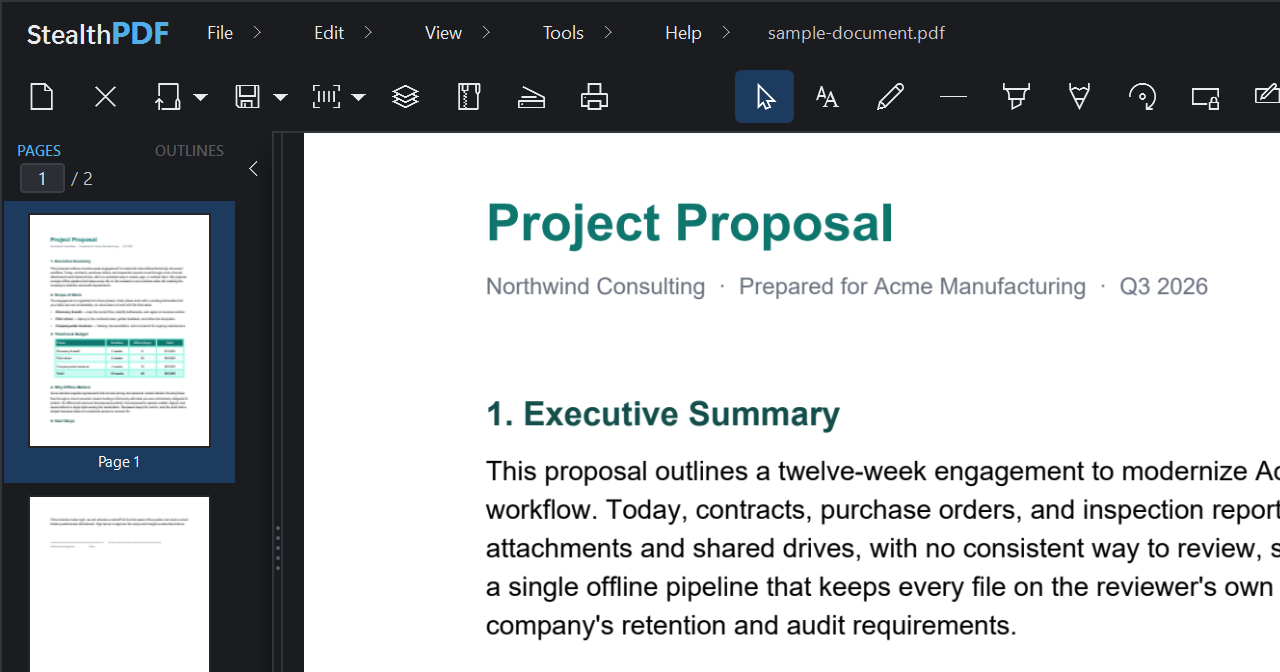
It looks and behaves like a normal Windows program, because that is exactly what it is. Choose light or dark, move the toolbar where you want it, and drag the sidebar to whatever width suits you.
The code is free for anyone to use. The $9.99 is for a build that is ready to run, and it pays for the work that keeps this going.
Would you rather build it yourself? Please do.
The licence is GPL-3.0, so every line is yours to read and change. Here is what the afternoon looks like, though. You will need Visual Studio and the .NET Framework 4.8 tools, a little patience with dependencies, and you will handle updates yourself. Windows will also warn people before it opens, until you sign it.
git clone …/StealthPDF
msbuild /p:Configuration=Release
You don't have to pay. The code is free, and anyone is welcome to build it. What $9.99 buys is a signed installer that is ready to run and keeps itself updated, so you skip the whole build-and-maintain routine. It also pays for the time that goes into keeping the app alive.
Really. Your documents are never sent anywhere, and nothing about how you use the app is collected. The only time it touches the internet is to check whether a new version exists, and you can switch that off. Your PDFs stay on your disk.
Right now it is Windows only, on 10 and 11. Mac and Linux versions are planned, but not ready. Follow the project on GitHub and you will hear when they arrive.
Yes, for files you have the right to open. The locks that block printing, copying, or editing are removed without needing the password. If the file asks for a password just to open it, type it once and you can then save an unlocked copy.
Email us within 14 days and you get your money back in full. We will not put you through any questions. We would rather refund you than leave you with a tool that won't run.
Almost any scanner Windows already knows about, which covers most flatbed, sheet-fed, and all-in-one machines. Older scanners are handled too, including the ones that only come with a 32-bit driver.
No subscription. No cloud. No account. Just a PDF editor that does its work on your own computer.
Get StealthPDF — $9.99